I’ve spent a good number of hours gathering the information for this article and creating a detailed vacuum cleaner run time table to help make sense of one of the most overlooked aspects of choosing the right machine. Many websites focus on which vacuum cleaner has the strongest suction, the most features, or even whether it can practically make your morning coffee, but far fewer address how long it actually lasts when you’re using it.
Don’t get me wrong, technology has come a long way. We now have vacuum cleaners that can charge themselves, map your home, and clean autonomously. That’s impressive, and I’m certainly not complaining. However, with innovation comes compromise. For example, many people find that an upright vacuum cleaner is hard to push, often due to more powerful motors and advanced brush systems. While these features improve cleaning performance, they can also introduce new challenges.
Can maintenance affect vacuum cleaner run time?
Absolutely. Clogged filters, tangled brush rolls, and debris-filled airways force the motor to work harder, draining the battery faster. Regular cleaning, especially if your vacuum starts to smell, can noticeably improve both performance and run time.
As vacuum technology evolves, increased power demands often lead to reduced battery life. How many times have you used a cordless vacuum that performs brilliantly, only to have it die halfway through cleaning? It becomes clear that run time plays a much bigger role than most people realize, even with the advancement in battery capacity.
Choosing the right vacuum is all about balance. You need enough power to clean effectively, sufficient run time to finish the job, and reasonable maintenance demands, such as cleaning your machine once it smells, to keep everything working efficiently. Sometimes, you have to sacrifice a little in one area to gain in another—but knowing where that balance lies is key.
That’s exactly why I’ve created this run-time vs. charge-time comparison table for cordless vacuum cleaners: to help you make a more informed decision based on real-world performance, not just marketing claims.
Battery Run Time For Popular Cordless Vacuum Cleaners
| Vacuum model | Run time | Charge time |
|---|---|---|
| AEG FX9 | 60mins | 6hr |
| Bissell 2602B | 50mins | 4hr |
| Bissell Multireach Active | 30mins | 5hr |
| Black+Decker PowerSeries Extreme | 78mins | 5hr |
| Bosch BCS122GB | 60mins | 1hr |
| Dyson V7 | 30mins | 3.5hr |
| Dyson V8 | 40mins | 5hr |
| Dyson V11 | 60mins | 4.5hr |
| Dyson V15 | 60mins | 4.5hr |
| Eufy HomeVac S11 | 40mins | 3.5hr |
| Gtech AirRam MK2 | 40mins | 4hr |
| Gtech HyLite | 20mins | 2hr |
| Gtech Pro | 40mins | 4hr |
| Gtech Pro 2 K9 | 40mins | 4hr |
| Halo Capsule | 60mins | 3hr |
| Hoover H-Free 300 | 40mins | 5hr |
| Hoover H-Free 800 | 35mins | 5hr |
| Hoover Linx | 30mins | 3hr |
| Lupe Pure | 60mins | 3.5hr |
| Miele Triflex HX1 | 60mins | 4hr |
| Moosoo M X6 | 30mins | 4hr |
| Roborock H6 | 90mins | 4hr |
| Roidmi R10 | 40mins | 2.5hr |
| Roidmi RS60 | 70mins | 2.5hr |
| Roidmi X20 | 65mins | 2.5hr |
| Samsung Jet 90 | 60mins | 3.5hr |
| Samsung Powerstick Jet | 60mins | 3.5hr |
| Shark DuoClean | 44mins | 3.5hr |
| Shark IZ201 | 40mins | 3.5hr |
| Shark IZ251UKT | 40mins | 3.5hr |
| Tineco A11 Hero | 60mins | 3hr |
| Tineco Pure One S11 | 40mins | 3.5hr |
| Ultenic U11 | 55mins | 2.5hr |
| Vax ONEPWR Blade 3 | 40mins | 2.5hr |
| Vax ONEPWR Blade 4 | 45mins | 3hr |
How Much Run Time Is Enough?
The answer depends on several factors, most notably the size of your home, the type of flooring you have, and how you typically clean. There’s no universal “perfect” run time, because different environments place very different demands on a vacuum cleaner.
Most cordless vacuums offer different power modes that affect run time. Eco mode typically lasts 40–60 minutes, standard mode provides around 20–40 minutes, and high or turbo mode usually delivers just 5–15 minutes of use.
For example, vacuums designed for hardwood floors generally requires less suction and therefore consumes less battery power than one built for deep-pile carpets. On the other hand, carpeted areas demand stronger suction, which significantly reduces run time.
Certain areas of the home also take longer to clean than expected, including:
It’s also worth considering how you use your vacuum. Tasks such as removing embedded pet hair or eliminating odors, like when learning how to get rid of dog smell in a vacuum cleaner, can place extra strain on the motor and reduce battery life more quickly.
Ultimately, run time isn’t just about square footage. It’s influenced by surface type, cleaning intensity, and maintenance habits. A vacuum cleaner designed for hard floors may offer excellent efficiency, while one built for carpets may sacrifice run time for deeper cleaning performance. Understanding these trade-offs will help you choose a vacuum with a run time that genuinely matches your cleaning needs.
Why Run Time Figures Can Be Misleading
Vacuum cleaner run times are often presented in the best possible light. Much like car manufacturers quoting ideal fuel efficiency, vacuum brands typically test their products under conditions that produce the longest possible run time.
Most vacuums offer multiple power settings. To achieve higher advertised figures, manufacturers usually test using the lowest power or eco mode, which consumes the least energy. Real-world use, especially on carpets or with higher suction settings, will result in much shorter run times.
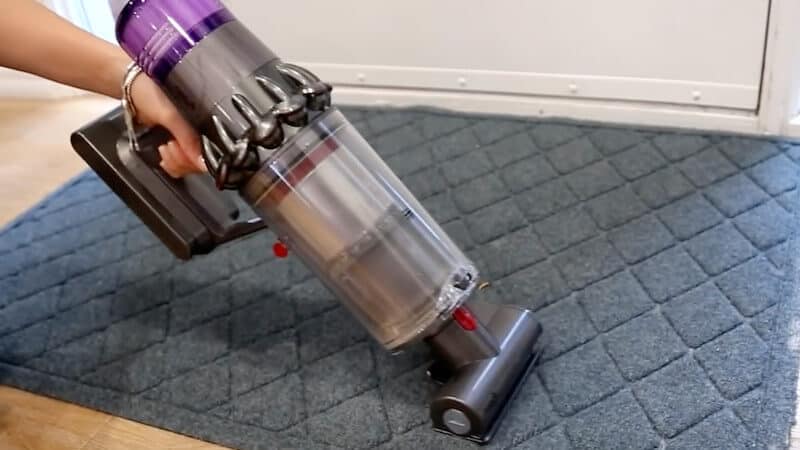
Some models further inflate results by testing the vacuum in handheld mode. When the wand and floor head are removed, the motor requires less power, allowing the battery to last longer. While technically accurate, this does not reflect typical whole-home cleaning conditions.
Additional factors such as powered brush heads, motorized attachments, and suction boosts also increase energy consumption and are often excluded from testing scenarios.
For these reasons, manufacturer-stated run times should be treated as best-case estimates rather than realistic expectations. Actual performance will vary depending on settings, attachments, and how the vacuum is used.
Extending Your Vacuum’s Battery Run Time
Cordless vacuum cleaners offer clear advantages when it comes to convenience. Not having to plug and unplug a cable, navigate around furniture, or worry about reaching power points makes cleaning far easier and more flexible. While some people still prefer corded models, cordless vacuums are becoming increasingly appealing as battery technology continues to improve.
That said, battery life remains one of the biggest limitations. Nothing is more frustrating than having a vacuum run out of power halfway through a clean. Understanding how to extend run time can make a noticeable difference in everyday use.
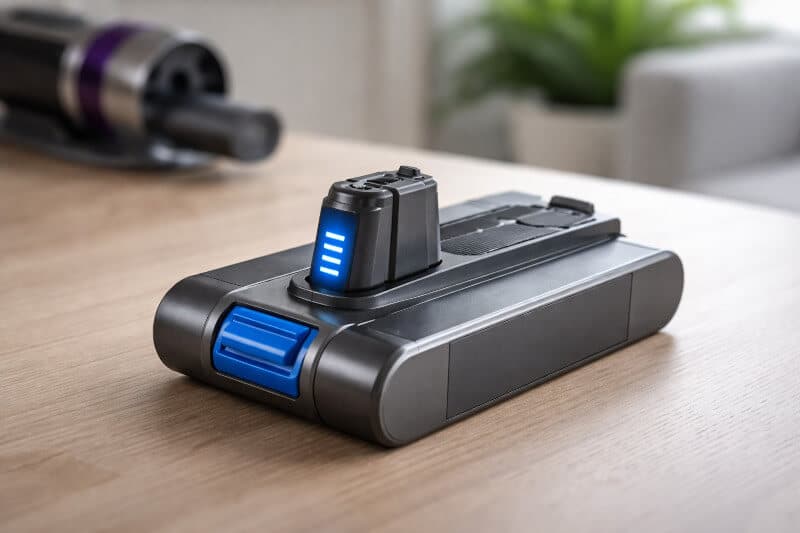
Battery packs are also expensive, often costing around $40 or more to replace, so preserving their lifespan is just as important as maximising run time. The more strain placed on a battery, the faster it degrades. Simple habits such as using lower power settings when possible, keeping filters clean, and avoiding unnecessary high-power modes can significantly reduce wear.
In short, the less stress you place on the battery, the longer it will last, both per charge and over its overall lifespan. Optimising how you use your cordless vacuum not only improves performance but also helps you get better long-term value from it.
Should You Replace Your Regular Vacuum With a Cordless One?
A cordless vacuum cleaner is best viewed as a supplement rather than a full replacement for a traditional corded model. While convenient, most cordless vacuums are generally less powerful and have smaller dust capacities, meaning they are not always suitable for large or heavily soiled areas.
That said, cordless vacuums excel in convenience. They are ideal for quick clean-ups, tight spaces, cars, and areas where dragging a cord would be inconvenient. Their lightweight design makes them especially useful for spot cleaning rather than full-house vacuuming.
It is also important to consider charging time. Most cordless vacuums require around four hours to fully recharge, which means they are not always ready for extended or repeated cleaning sessions.
Battery lifespan is another factor to keep in mind. Over time, battery performance naturally declines, with noticeable reductions often appearing after two to three years of regular use. While replacement batteries are available, they can add to the long-term cost of ownership.
In short, a cordless vacuum works best as a convenient secondary cleaner rather than a complete replacement for a traditional corded vacuum, especially in larger homes.
My Final Thoughts
Choosing between a corded and cordless vacuum ultimately comes down to personal preference. Like most things, the convenience of one option often comes with a few trade-offs.
Personally, I still prefer a corded vacuum for its reliability and consistent power. I like knowing that I can start cleaning at any moment without worrying about battery levels or charging times. The idea of needing a vacuum in a hurry, only to find the battery depleted, is something I would rather avoid.
It’s also worth considering that cordless vacuums tend to be less energy-efficient overall. Battery charging involves energy loss, and the production of rechargeable batteries has its own environmental impact. Additionally, different vacuum technologies, such as water filtration systems versus HEPA filters, can vary significantly in both energy use and environmental footprint.
This is not an argument against cordless vacuums. They offer clear advantages in convenience and mobility, and for many people, those benefits outweigh the drawbacks. That is precisely why I have included a detailed battery run-time comparison earlier in this guide.
Ultimately, the right choice depends on how you clean, how often you clean, and what matters most to you.